I’m excited to introduce SnipNotes 7, one of the biggest updates in the history of SnipNotes!
Over the years, SnipNotes has grown with many new features and improvements. To keep the app modern and make room for future development, I decided to take a big step: rebuild SnipNotes from the ground up.
After many months of development, the result is a completely rewritten app with a refreshed interface, new capabilities, and improvements throughout. While a lot has changed behind the scenes, my goal remains the same: to make capturing, organizing, and finding your notes as quick and convenient as possible.
SnipNotes 7 at a Glance
Here’s what you should know about this update:
- New features: Connect notes with links and backlinks, protect individual notes, customize how your notes are organized, and enjoy many improvements to everyday workflows.
- A much more capable Mac app: The Mac version now offers feature parity with iOS, including reminders, passcode protection, drawings, note actions, and more.
- Completely rebuilt: SnipNotes has been rewritten from scratch with a modern foundation for future updates.
- Automatic migration: Your existing notes and supported settings are transferred automatically when you update.
- New system requirements: SnipNotes 7 requires iOS/iPadOS 26 or macOS 26. The previous version continues to work on older devices and can still synchronize notes with SnipNotes 7 through iCloud.
- Your feedback matters: If you encounter bugs, missing features, or unexpected changes, please get in touch!
Read on to discover what’s new and what to expect when upgrading.
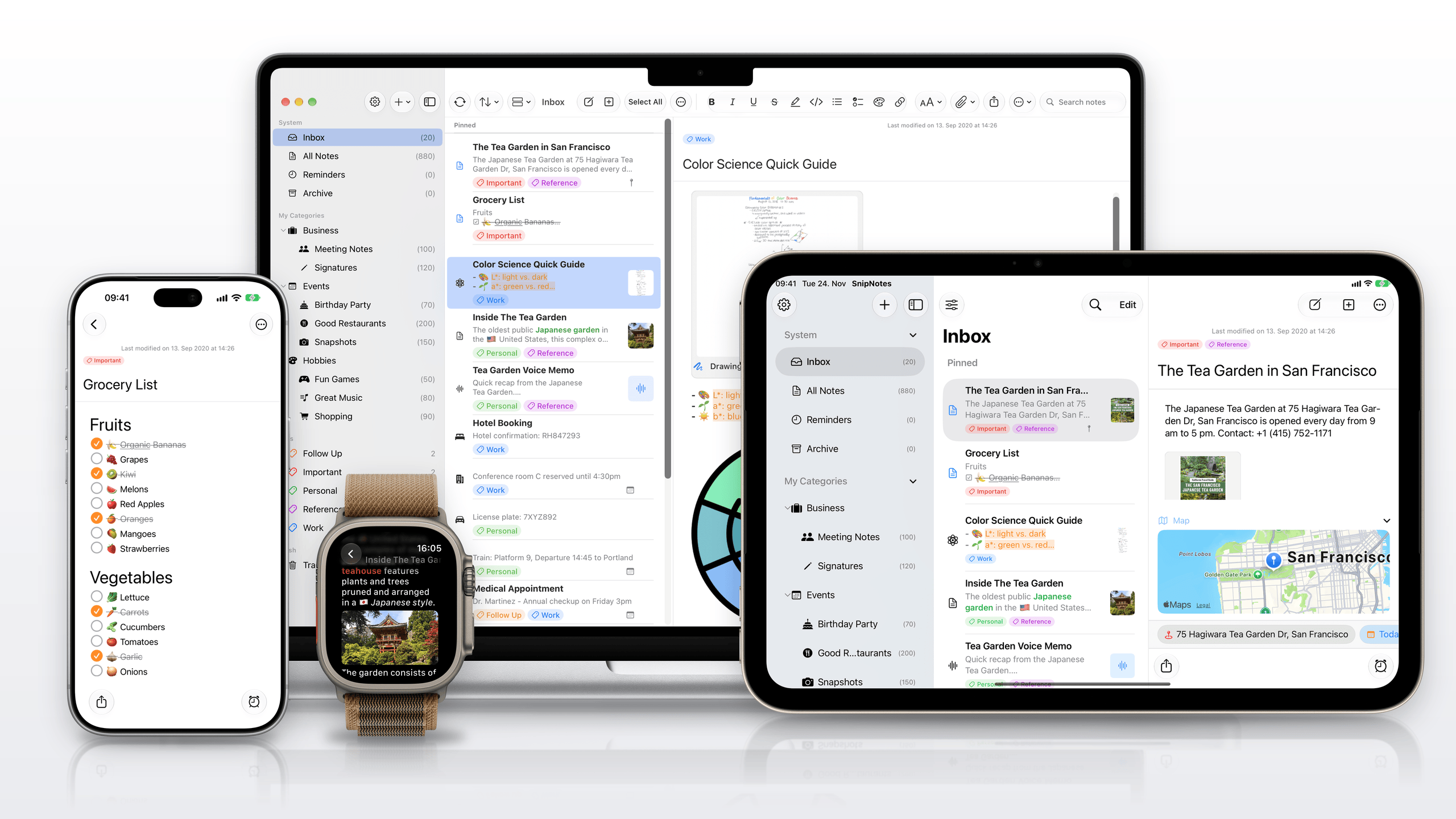
Connect Your Notes with Links and Backlinks
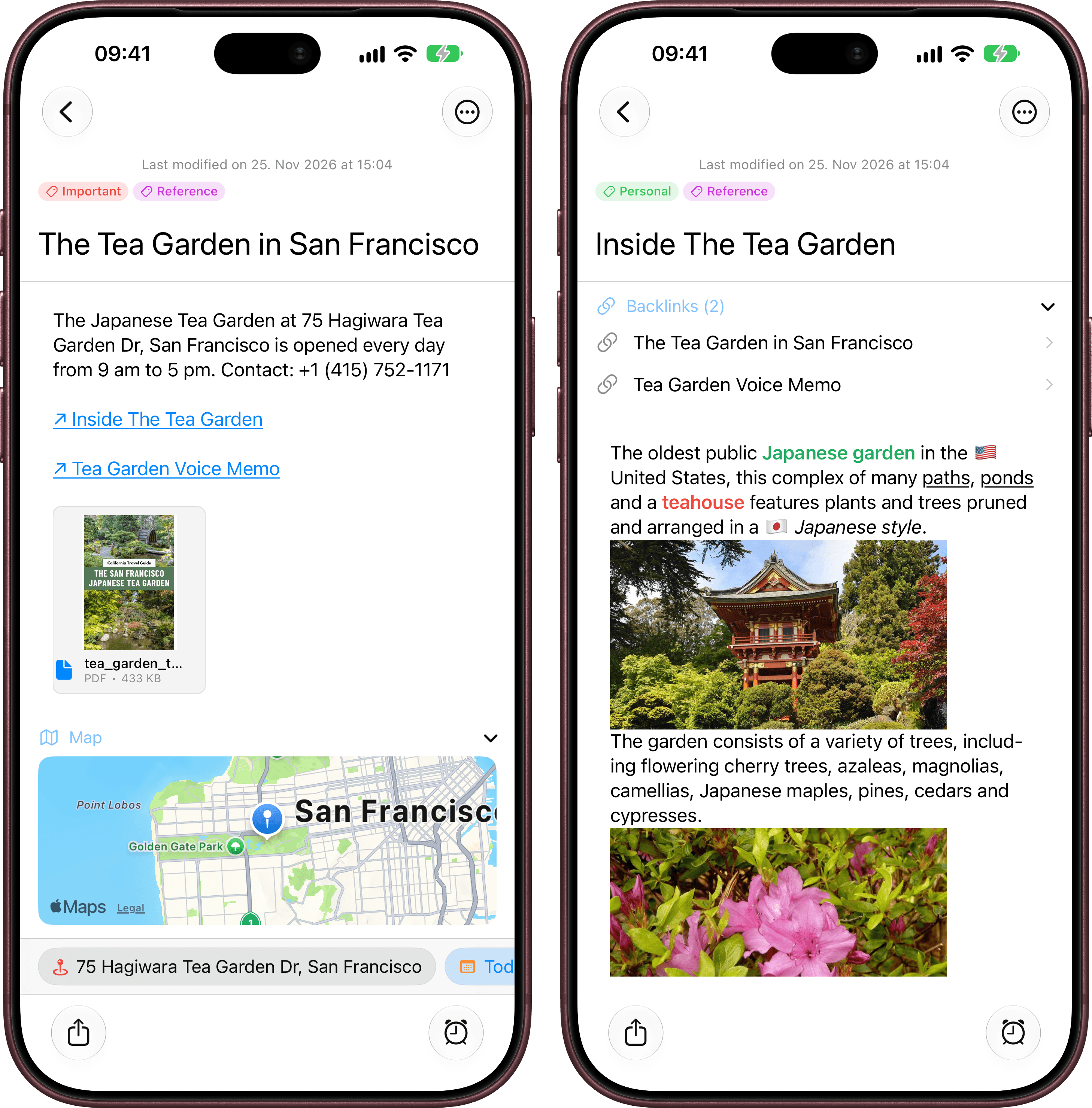
One of the biggest additions in SnipNotes 7 is the ability to create links between your notes.
Instead of keeping every note isolated, you can now connect related information and navigate between notes with a simple tap or click.
For example, you could link a project overview to individual tasks, connect meeting notes to related documents, or create a collection of travel notes with links to destinations, reservations, and packing lists.
SnipNotes also supports backlinks, which show you which other notes link to the note you’re currently viewing. This makes it easier to discover connections and find related information without searching through your categories.
You can also add links to external websites, combining your notes with useful resources from the web.
Internal note links and backlinks are available through a separate one-time purchase, included with SnipNotes Plus subscriptions and eligible existing purchases. Links to external websites remain free.
More Control Over Your Privacy
SnipNotes has supported protecting the entire app or individual categories for a long time. With SnipNotes 7, you can now also protect individual notes with a passcode.
This is especially useful when you want to keep a few sensitive notes private without locking an entire category.
Protected notes require authentication before their contents can be viewed. On supported devices, you can conveniently unlock them using Face ID or Touch ID.
Passcode protection is now also available on the Mac, giving you more control over your private information across devices.
Organize Your Notes Your Way
Everyone organizes their notes differently, and SnipNotes 7 gives you more flexibility to create a setup that works for you.
You can now configure the sorting order and note list layout individually for each category. For example, you might want to see your most recently edited notes first in one category while keeping another category sorted alphabetically.
Another useful addition is the ability to set a note limit for your Inbox. If you frequently capture notes without organizing them immediately, you can keep your Inbox manageable by automatically moving older notes to another category when the limit is reached.
These improvements help you spend less time managing your notes and more time using them.
A More Flexible Editing Experience
SnipNotes 7 introduces several improvements that make working with notes more convenient.
Richer text formatting: You can now combine different formatting styles, such as bold, italic, and highlighting. Formatting is also supported in note titles, allowing you to emphasize important information right where you need it.
Easier access to note actions: Actions for detected content, such as addresses, phone numbers, or links, now appear as convenient chips below your notes. You can also access these actions directly from the note list’s context menu.
More flexible swipe actions: Customize the actions available when swiping a note. You can add, remove, and reorder them to match your preferred workflow.
Improved undo support: You can now undo multiple actions in succession, making it easier to recover from mistakes or reverse a series of changes.
Cleaner note icons: Notes now retain their chosen icons even when SnipNotes detects special content. Content types are represented by smaller, secondary icons instead of replacing your note’s icon.
Together, these changes make SnipNotes more consistent, customizable, and comfortable to use.
The Mac App Catches Up
One of my goals for SnipNotes 7 was to bring the Mac experience in line with the iPhone and iPad versions.
Previously, some features were only available on iOS. With this update, SnipNotes for Mac finally offers the same core functionality as its iOS counterpart.
Here’s what’s new on the Mac:
- Reminders: Set reminders for your notes directly on your Mac, just as you can on your iPhone or iPad.
- Passcode protection: Protect the entire app, individual categories, or specific notes, with support for Touch ID on compatible Macs.
- Drawings: Create and edit drawings directly within your notes.
- Note actions: Quickly perform actions based on detected content, such as opening addresses, calling phone numbers, or visiting websites.
- Improved image viewer: Browse multiple images with convenient paging controls and zoom in to inspect details.
- Desktop widgets: Keep important notes within reach using widgets on your Mac desktop or in Notification Center.
These additions make it easier to switch between your Apple devices without having to give up features or change the way you work.
Whether you’re capturing a quick thought on your iPhone or organizing a larger collection of notes on your Mac, SnipNotes now provides a much more consistent experience.
Better iCloud Sync and Apple Watch Support
I’ve also made several improvements to how SnipNotes works across your devices.
Your Trash now syncs through iCloud. When you move a note to the Trash, it appears there on your other devices running SnipNotes 7 as well. This makes it easier to recover accidentally deleted notes, regardless of which device you’re using.
The initial iCloud synchronization has also been optimized. When setting up SnipNotes on a new device, your existing notes should now become available more quickly.
On Apple Watch, SnipNotes now has its own settings screen, allowing you to customize the Watch app directly from your wrist.
Finally, I’ve improved translations throughout the app to provide a more consistent experience across all supported languages.
Upgrading to SnipNotes 7
Because SnipNotes 7 has been completely rebuilt, the update requires a migration of your existing data.
The good news is that this happens automatically. When you update, SnipNotes transfers your existing notes, categories, attachments, and supported settings to the new app. You don’t need to install a separate application or manually import your notes.
Depending on the size of your library, the initial migration may take a little time. Please allow it to finish before continuing to use the app.
New System Requirements
SnipNotes 7 requires iOS 26, iPadOS 26, or macOS 26 or later. The previous version supported iOS 15 and macOS 12.
I know that not everyone can or wants to update their devices to the latest operating system.
That’s why I’ve made sure that SnipNotes 7 remains compatible with the previous version through iCloud synchronization.
If you have an older iPhone, iPad, or Mac that cannot run SnipNotes 7, you can continue using the previous version on that device. Your notes will still synchronize with devices running SnipNotes 7.
Please keep in mind that some new features, such as note links and backlinks, are only available in SnipNotes 7.
What Else Has Changed?
A complete rewrite also offers an opportunity to modernize older functionality and simplify parts of the app.
Most existing features are still available, but some have been replaced or work differently:
- Note and category icons: The previous icon collection has been replaced with Apple’s modern SF Symbols, offering a consistent appearance across the app.
- Apple Watch complications: Older complications have been replaced with modern widgets and complications, including support for the Smart Stack.
- Dictation and automation: Some older Siri actions, URL schemes, and the dedicated dictation feature have been replaced or removed. You can continue using system keyboard dictation, voice recordings, and supported Shortcuts actions.
- Settings and navigation: Some older settings have been simplified, combined, or replaced with more modern alternatives.
I’ve tried to preserve familiar workflows wherever possible. A few existing features are temporarily unavailable in SnipNotes 7, including app icon badges, the Tip Jar, and alternative app icons. I plan to bring these features back with the next update.
If you’ve previously supported SnipNotes through the Tip Jar, you’ll be able to access your unlocked app icons again without making another purchase. Thank you for your patience!
Your Feedback Matters
Rebuilding an app as extensive as SnipNotes is a major undertaking. I’ve spent a lot of time testing the new version and making sure existing functionality continues to work as expected.
Still, with a rewrite of this scale, it’s possible that I’ve overlooked something.
If you notice a bug, a feature that’s missing, or behavior that has changed in a way that disrupts your workflow, please let me know!
I’m especially interested in hearing from longtime users who rely on particular features or settings. Your feedback will help me prioritize fixes and improvements for upcoming updates.
The best way to contact me is directly through SnipNotes, which can include useful diagnostic information with your message. Alternatively, you can use the contact form on my website, especially if you’re having trouble opening the app.
Thank You!
SnipNotes has been part of my work for many years, and rebuilding it from the ground up has been one of the most ambitious projects I’ve undertaken.
I hope SnipNotes 7 makes your everyday note-taking experience even better and provides a solid foundation for many more improvements in the future.
Thank you for your continued support, your feedback, and for using SnipNotes! ❤️
If you enjoy the new update, I’d really appreciate a rating or review on the App Store. It helps other people discover SnipNotes and supports its continued development.